Master Hand Lettering with Procreate Badel Brush
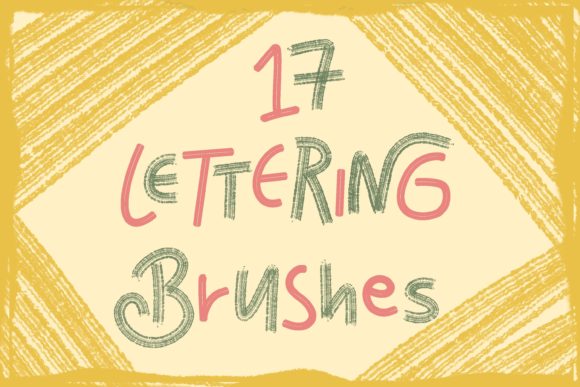
Digital lettering can sometimes feel stiff or impersonal, especially when you are just starting out with standard tools. The Procreate Lettering Brush - Badel changes that dynamic by offering a texture and flow that mimics the organic feel of traditional markers and pens. Whether you are a seasoned graphic designer looking to speed up your workflow or a hobbyist wanting to create beautiful quotes for social media, this brush set provides the versatility needed to bring your typography to life. It is not just about having a new tool; it is about unlocking a style that feels authentic and hand-crafted without the mess of physical ink.
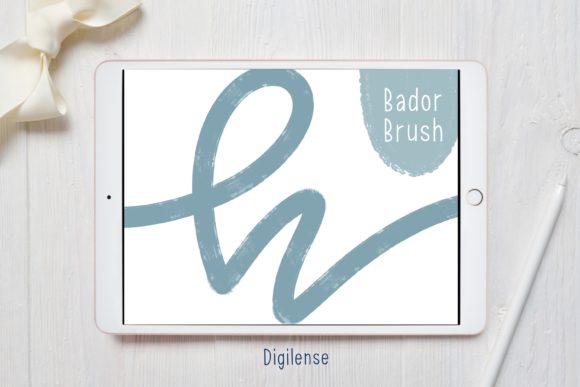
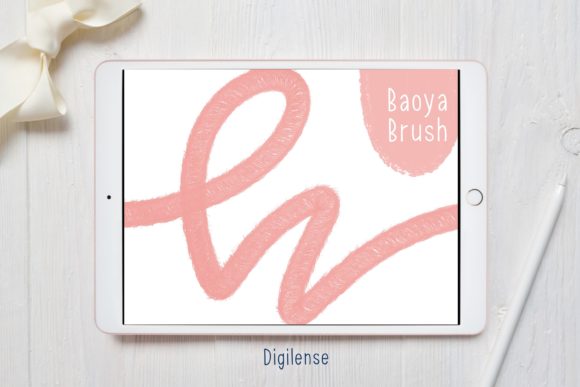
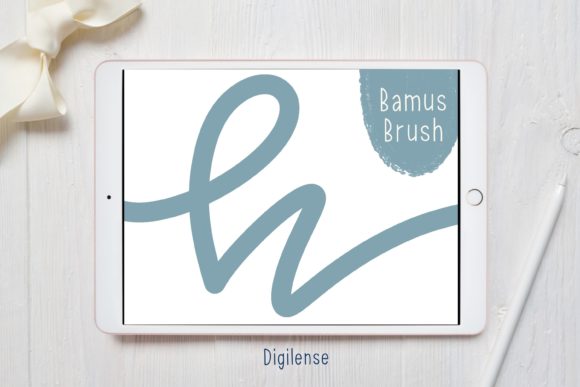
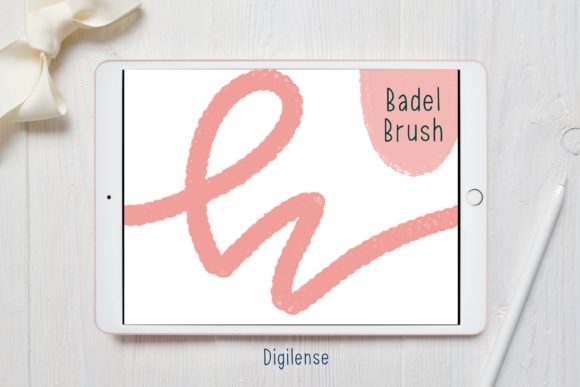
At its core, the Procreate Lettering Brush - Badel is designed to bridge the gap between digital precision and analog warmth. When you download this resource, you aren't just getting a single brush file. You will receive a ZIP file containing the specialized lettering Procreate brush along with a helpful PDF file detailing how to install the procreate brush on iPad. This comprehensive approach ensures that even if you are new to digital art, you have everything required to start creating immediately. The brush itself features variable stroke widths and a subtle texture that prevents your letters from looking too "perfect" or computer-generated, adding a human touch to every project.
Why Choose Badel for Your Digital Projects
Many creators struggle to find a brush that balances smoothness with character. Standard round brushes often lack the flair needed for modern calligraphy, while highly textured brushes can be difficult to control. The Procreate Lettering Brush - Badel sits comfortably in the middle, offering enough resistance to feel natural while maintaining the clean lines necessary for professional results. This makes it an excellent choice for entrepreneurs designing their own logos, bloggers creating custom headers, or educators making engaging visual aids for their students.
The appeal of this brush lies in its adaptability. It works beautifully for thick downstrokes and thin upstrokes, which is essential for faux calligraphy and modern hand-lettering styles. Because it responds well to pressure sensitivity, you can achieve dynamic line variation simply by adjusting how hard you press with your Apple Pencil. This responsiveness allows for a more intuitive drawing experience, letting you focus on the composition of your words rather than fighting against the tool. For small business owners, this means you can create unique branding assets in-house, saving money on outsourcing while maintaining a distinct visual identity.
Practical Applications Across Different Fields
The versatility of the Procreate Lettering Brush - Badel extends far beyond simple practice sheets. In the world of social media marketing, eye-catching text overlays are crucial for engagement. You can use this brush to create inspirational quotes for Instagram stories, promotional graphics for Facebook posts, or titles for YouTube thumbnails. The organic look of the Badel brush helps your content stand out amidst the sea of polished, corporate-style graphics, making your brand feel more approachable and relatable.
For freelancers and professional illustrators, this tool is invaluable for client work ranging from wedding invitations to book covers. The ability to quickly sketch out lettering concepts and refine them digitally speeds up the approval process significantly. Additionally, educators can utilize these brushes to create visually appealing lesson plans or certificates that feel special and personalized. Even in a commercial context, such as designing merchandise like t-shirts or mugs, the high-resolution output of Procreate combined with the Badel brush ensures your designs remain crisp and clear when printed.
Getting Started: Installation and Setup
One of the most common hurdles for new iPad artists is simply getting new tools onto their canvas. The process for the Procreate Lettering Brush - Badel is straightforward, but it does require a few specific steps to ensure everything works correctly. When you purchase or download the asset, you will receive a ZIP file with the lettering Procreate brush and a PDF file explaining how to install procreate brush on ipad. It is important to follow these instructions carefully to avoid frustration.
To get started, you need to extract the files from the compressed folder. Use a free app like FileExplorer, File Manager, or iZip to unzip the file on your device. Once unzipped, locate the actual brush file (usually ending in .brush or .brushset). If your iPad allows it, choose "Open in Procreate" directly from the file manager. This is often the quickest method. However, if this is not an option due to iOS restrictions or file management settings, there is a reliable manual alternative.
- Open a new canvas in Procreate.
- Tap the paintbrush icon to open the Brushes panel.
- Tap the button above the list of brushes (often a plus sign or an import option) to import a new brush.
- Navigate to the location where you saved the unzipped folder containing your downloaded Procreate brush.
- Tap on the brush file, and it will instantly load into your library.
Once imported, the brush is ready to use. It is recommended to test it on a blank layer first to get a feel for the pressure sensitivity and texture. You may find that adjusting the streamline setting in Procreate helps smooth out your strokes further if you are working on very intricate lettering.
Tips for Maximizing Your Results
While the Procreate Lettering Brush - Badel is powerful out of the box, combining it with other techniques can elevate your work. Consider using the monoline feature in Procreate alongside Badel for creating consistent guidelines or decorative flourishes that contrast with the variable weight of the lettering. Layering is another critical technique; try creating your base letters on one layer and adding shadows or highlights on separate layers to give your text depth and dimension.
It is also worth noting that the color you choose can dramatically change the personality of the brush. While black or dark gray is standard for practice, experimenting with vibrant hues or watercolor-style textures can make your lettering pop against different backgrounds. For those interested in animation, the Badel brush can be used frame-by-frame to create simple, hand-drawn text animations that bring a static quote to life.
Important Considerations Before You Begin
Before diving deep into projects, keep in mind that digital lettering still requires practice. No brush can instantly perfect your handwriting or spacing. The Procreate Lettering Brush - Badel is a tool to facilitate your creativity, not replace the fundamental skills of typography and composition. Take time to study letterforms, understand kerning (the space between letters), and practice consistent slant angles.
Additionally, ensure your iPad and Procreate app are updated to the latest versions to guarantee full compatibility with the brush file. Older versions of the software might not support certain brush engine features, which could alter how the Badel brush performs. Finally, remember to back up your custom brushes and favorite projects regularly. Digital files are convenient, but losing your custom setup due to a device crash can be disheartening.
In summary, integrating the Procreate Lettering Brush - Badel into your creative toolkit opens up a world of possibilities for personal and professional expression. From the ease of installation using apps like iZip to the nuanced strokes you can achieve on the canvas, this resource is designed to support your growth as a digital artist. Whether you are crafting a logo for a new venture or simply enjoying the therapeutic process of writing beautiful words, this brush offers the reliability and style needed to make your vision a reality.