30 Glitter Glow Brush Set for Procreate
Digital art often struggles to capture the tactile satisfaction of physical media, specifically the way light interacts with texture. The 30 Glitter Glow Brush for Procreate Set bridges this gap by providing a specialized toolkit designed to inject luminosity and depth into your illustrations. This is not merely a collection of decorative stamps; it is a functional asset for creators who need to elevate their work from flat digital sketches to vibrant, eye-catching compositions. Whether you are designing social media graphics, illustrating children's books, or creating promotional materials for a small business, understanding how to leverage these specific tools can transform your workflow.
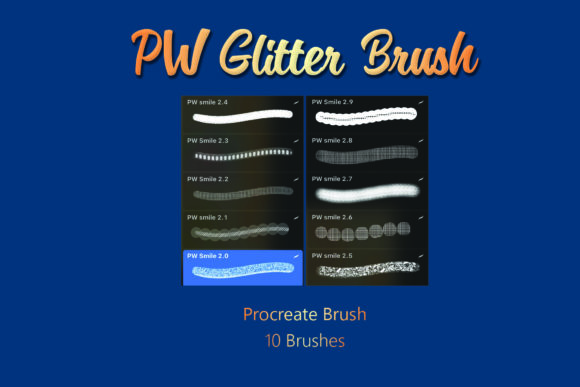
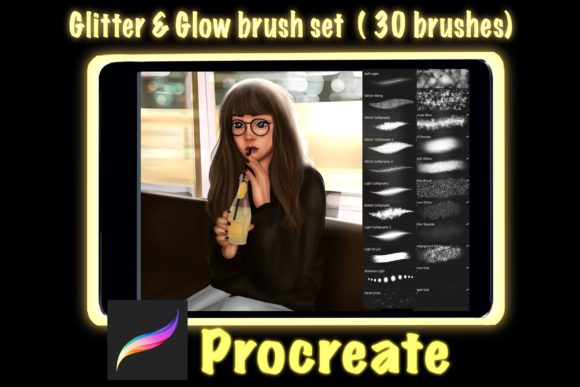
The core value of this exclusive set lies in its curated diversity. Instead of offering thirty variations of the same sparkle, the pack is engineered to cover every stage of the texturing process. You receive 6 calligraphy brushes that allow for elegant, flowing lines with built-in shimmer, perfect for hand-lettering quotes or designing logos. Complementing these are 6 glow brushes essential for creating neon effects, soft halos, and atmospheric lighting that makes subjects pop against dark backgrounds. For celestial themes or magical realism, the 2 stars brushes provide distinct point-light sources, while the 8 glitter brushes offer a range of particle densities and scattering patterns to simulate everything from fine dust to heavy confetti.
What truly sets this collection apart for professional use is the inclusion of utility brushes often overlooked in standard packs. The 2 grains brushes add necessary noise and texture to prevent your art from looking too "clean" or synthetic. The single splash brush introduces dynamic, fluid energy to a composition, and the texturizer allows you to overlay complex surfaces onto flat colors instantly. Finally, the 2 spark brushes deliver high-contrast highlights that draw the viewer's eye to focal points. When used together, these tools allow you to build layers of visual interest that feel organic rather than pasted on.
Practical Applications for Creators and Marketers
For marketers and small business owners, visual hierarchy is everything. In a crowded social media feed, an image needs to stop the scroll within seconds. Using the glow and spark brushes from this set, you can create promotional graphics where the call-to-action or the product itself emits a subtle radiance. This technique guides the viewer's gaze naturally without relying on aggressive arrows or boxes. For instance, a bakery owner could illustrate a cupcake where the frosting isn't just colored but actually appears to glisten, utilizing the glitter and grain brushes to mimic sugar crystals and butter sheen.
Bloggers and content creators can also benefit significantly by incorporating these brushes into their header images and infographics. Text overlays created with the calligraphy brushes gain immediate personality and readability when paired with a soft outer glow. This is particularly effective for inspirational quotes or title cards where the text needs to stand out against a busy background. The key here is restraint; using the texturizer to mute the background slightly while applying the spark brushes only to the key words creates a balanced, professional look that enhances brand identity.
Technical Requirements and Compatibility
Before diving into creation, it is vital to understand the technical ecosystem these brushes inhabit. This exclusive procreate glitter Glow brush set is engineered specifically for the Apple ecosystem. To utilize these tools effectively, you will need an Apple iPad running the Procreate app, or an iPhone with Procreate Pocket. It is important to note that these brushes rely on Procreate's specific rendering engine for grain, shape dynamics, and color blending.
Consequently, these brushes will not work on Photoshop, Clip Studio Paint, or other drawing applications. Attempting to import them elsewhere will result in errors or non-functional assets. This limitation ensures that the performance remains optimized for the tablet interface, allowing for smooth strokes even with complex particle effects like the splash and glitter brushes. Ensuring your device meets the minimum requirements for Procreate will guarantee that the heavy texture calculations do not lag your workflow.
Creative Strategies and Workflow Integration
Integrating this 30-piece set into your existing workflow requires a shift from thinking about "drawing" to thinking about "layering." A common mistake among hobbyists is applying glitter effects directly on the base layer. To maintain clarity and editability, always work on separate layers. Start with your base illustration, then add a layer set to "Add" or "Screen" blend mode for the glow brushes. This mimics how light actually behaves, adding brightness without obscuring the details underneath.
Consider the narrative of your illustration. If you are an educator creating materials for students, use the star and spark brushes to highlight key concepts in a diagram. The visual cue of a sparkle indicates importance more effectively than bold text alone. For freelance illustrators working on fantasy projects, combine the grain and texturizer brushes first to establish a moody atmosphere, then use the calligraphy brushes to add runic scripts or magical sigils that appear to be burning with inner light.
- Layer Management: Keep your glitter and glow effects on top layers to easily adjust opacity without repainting.
- Color Harmony: Glitter reflects light; ensure your glow colors match the light source in your scene for realism.
- Texture Balance: Use the grain brushes sparingly on skin tones or smooth surfaces to avoid making the image look dirty.
- Export Settings: When saving for web, ensure your canvas resolution is high enough so the fine particles of the glitter brushes do not pixelate.
Adapting Styles for Different Audiences
The versatility of this brush set allows it to adapt to vastly different aesthetic goals. A publisher designing a book cover might use the texturizer and grain brushes to give a vintage, worn feel, using the glow brushes only for the title to make it modern and striking. Conversely, a designer creating assets for a tech startup might lean heavily on the neon capabilities of the glow and spark brushes to convey innovation and energy. The calligraphy brushes are equally adaptable; by adjusting the streamlining settings in Procreate, they can range from loose, energetic scrawls to precise, formal lettering.
Consistency is key when using these effects across a series of images. If you are building a brand portfolio, decide on a signature style. Perhaps you always use the "Splash" brush for transitions between sections, or maybe you reserve the "Star" brush exclusively for highlighting testimonials. By establishing these rules, your use of the 30 Glitter Glow Brush for Procreate Set becomes part of your visual language, making your work instantly recognizable to your audience.
Ultimately, tools are only as good as the intention behind them. This set provides the means to add magic, depth, and professionalism to your digital art, but the creative direction comes from you. Experiment with combining the splash and glitter brushes for chaotic, energetic backgrounds, or use the texturizer to ground ethereal glow effects in reality. By mastering the specific strengths of each of the 30 brushes—from the subtle grain to the brilliant sparks—you unlock a new level of expressive potential in your digital illustrations.