Line Brush Stroke Vector, PNG, and Brush Assets
In the fast-paced world of digital design, the difference between a flat, generic layout and a piece that feels alive often comes down to texture. Designers, marketers, and content creators are constantly searching for elements that add a human touch to pixel-perfect screens. This is where a comprehensive collection of Line Brush Stroke Vector, PNG, and Brush assets becomes an indispensable part of your creative toolkit. By integrating traditional artistic flair into modern workflows, you can elevate photo manipulation, background design, and text decoration without needing to master the art of painting by hand.
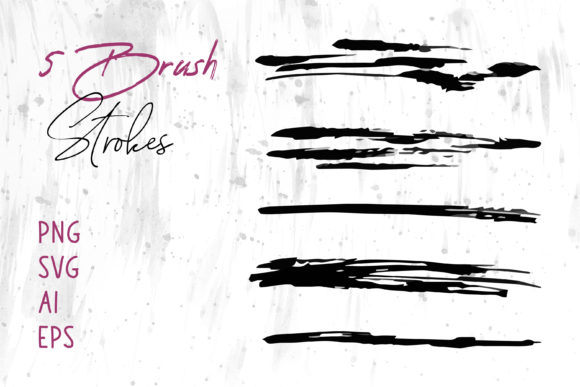
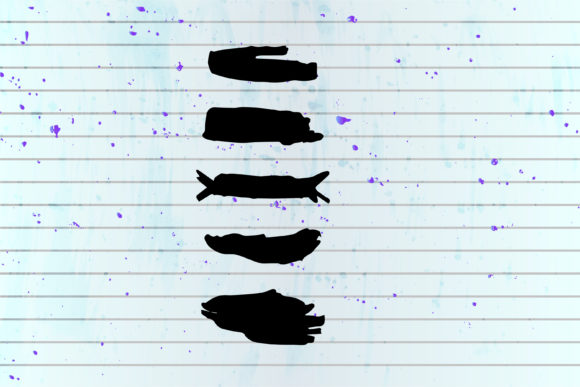
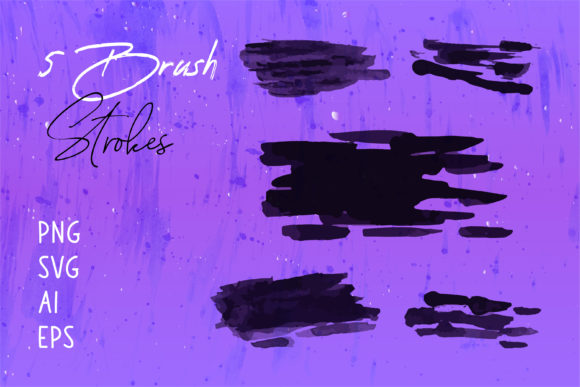
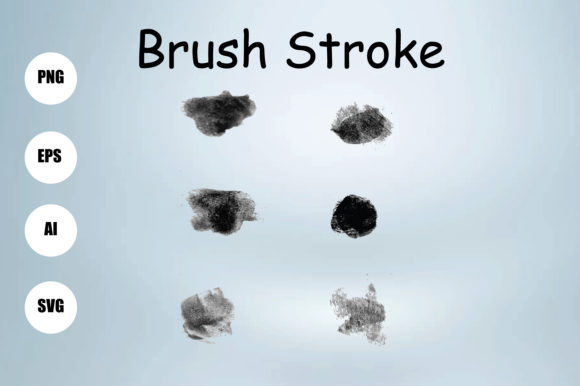
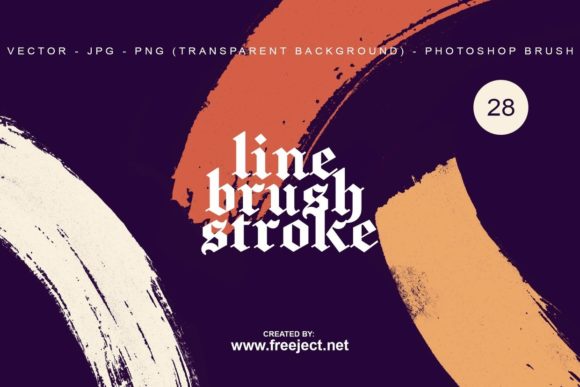
We present traditional brush strokes packed in vector files, Photoshop brushes, transparent background PNG, and JPG formats to serve as a versatile complement to your projects. Whether you are editing a product shot for an e-commerce site or crafting a social media graphic for a small business, having immediate access to high-quality strokes allows you to focus on composition rather than creation from scratch. You can download the demo file at the link below to test how these elements integrate with your current style before committing to the full suite.
Why Versatile Formats Matter in Modern Workflows
The true value of this asset pack lies not just in the aesthetic quality of the strokes, but in the diversity of the file formats included. Different projects demand different technical specifications, and being forced to convert files often leads to a loss in quality or unnecessary time expenditure. This collection addresses that friction by providing four distinct formats for every single stroke design.
For professionals working in Adobe Illustrator or other vector-based software, the 28 Line Brush Stroke Vector EPS files are essential. Unlike raster images, vectors are resolution-independent. This means you can scale a delicate ink line from the size of a business card to a massive billboard without any pixelation or blurring. This scalability is crucial for branding projects where logo consistency across various media sizes is non-negotiable. Furthermore, because they are vectors, you can easily recolor the strokes to match specific brand guidelines instantly, something that is far more tedious with rasterized images.
Conversely, photo editors and digital painters will find the 28 Line Brush Stroke Brush ABR files to be a significant time-saver. Loading these directly into Photoshop allows you to paint with realistic textures in real-time. Instead of copying and pasting static images, you can vary the pressure, opacity, and flow to create organic compositions that feel dynamic and spontaneous. This is particularly useful for retouchers who need to blend subjects into new backgrounds seamlessly or add artistic overlays that mimic traditional media.
Enhancing Photo Manipulation and Overlays
One of the most practical applications for these assets is in photo manipulation and overlay work. When compositing images, the biggest challenge is often making disparate elements look like they belong in the same environment. Flat cutouts can look sterile and artificial. By utilizing the 28 Line Brush Stroke PNG files, which come with transparent backgrounds, you can introduce grit, movement, and depth to your compositions.
Imagine you are creating a promotional poster for a music festival. The base image is a high-resolution photograph of a band, but it lacks energy. By layering several of the provided PNG strokes over the image and adjusting the blending modes to "Screen" or "Overlay," you instantly create a sense of motion and raw energy. Because these PNGs have clean, transparent edges, there is no need for tedious masking or erasing of white backgrounds. They drop right into your layer stack, ready to be positioned. This capability allows editors to achieve complex, textured looks in minutes rather than hours, significantly increasing efficiency during tight deadlines.
Streamlining Background Design and Text Decoration
Beyond photo editing, these assets are powerful tools for background design and typography. In web design and print layouts, large blocks of solid color or simple gradients can feel uninspired. Using the 28 Line Brush Stroke JPG or PNG variants, designers can create custom backgrounds that add subtle character without overwhelming the foreground content. A faint, textured stroke pattern can break up negative space, guiding the viewer's eye across the page in a natural flow.
Text decoration is another area where these elements shine. Standard fonts, while legible, often lack personality. By combining type with hand-drawn style lines, you can create custom logos, headers, and call-to-action buttons that stand out. For instance, underlining a headline with a rough, ink-style stroke adds emphasis and a handmade feel that resonates well with audiences seeking authenticity. This approach is particularly effective for bloggers, educators, and small business owners who want their visual content to feel personal and approachable rather than corporate and rigid.
Who Benefits Most from This Collection?
While any creative professional can utilize these tools, specific groups will find exceptional value in this diverse pack. Freelancers and agency designers often juggle multiple clients with vastly different aesthetic requirements. Having a library that includes both scalable vectors and ready-to-use raster brushes means they can adapt quickly to any brief, from a minimalist tech startup website to a gritty streetwear fashion lookbook.
Marketers and social media managers also benefit greatly. In the attention economy of Instagram and TikTok, static images need to pop. Using these brush strokes to frame products or highlight key text in stories and posts can increase engagement rates by making the content feel more curated and less templated. Similarly, publishers and educators creating digital textbooks or presentations can use these elements to annotate diagrams or separate sections visually, improving readability and student engagement.
Considerations for Integration and Use
While the benefits are clear, it is important to consider how these elements fit into your specific workflow. If your primary output is strictly for low-resolution web use, the vector EPS files might be overkill, and the PNGs would suffice. However, if you anticipate any print usage, retaining the vector originals is a smart long-term strategy. Additionally, when using the ABR brushes, remember that the effect depends heavily on your tablet settings and pressure sensitivity; experimentation is key to getting the most natural look.
It is also worth noting that while these strokes are designed to be versatile, they should complement your design, not dominate it. Overusing textured elements can lead to visual clutter, making the core message difficult to read. The best practice is to use them strategically—perhaps one strong stroke to anchor a layout or a subtle texture to unify a series of images. Always preview your designs on multiple devices to ensure the details of the brush strokes translate well on smaller screens.
Ultimately, the goal is to enhance your creativity, not replace it. These assets provide the raw materials—the lines, the textures, the shapes—but the vision remains yours. By removing the technical barrier of creating realistic brush effects from scratch, you free up mental energy to focus on composition, color theory, and storytelling.
To see exactly how these files can transform your next project, we encourage you to explore the capabilities firsthand. Download the demo file at the link below to access a sample of the collection. Evaluate the quality of the vectors, test the responsiveness of the Photoshop brushes, and see how the transparent PNGs interact with your existing layers. With 28 Line Brush Stroke Vector EPS, 28 Line Brush Stroke Brush ABR, 28 Line Brush Stroke PNG, and 28 Line Brush Stroke JPG files included in the full package, you will have a robust foundation for adding organic beauty to your digital creations.